jQuery Plugin: rotate3Di - Flip HTML content in 3D
- published:
- 2009.03.11
- topics:
- css
- javascript
- tools
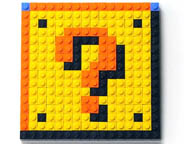
Rotate3Di is a jQuery Effect Plugin that makes it possible to do an isometric 3D flip or 3D rotation of any HTML content. It also enables custom 3D rotation animations. CSS3 Transforms are used to create this visual "3D" isometric effect. Supported browsers are Safari, Chrome, Webkit, Firefox 3.5+, IE9+, and Opera 11+. The plugin's functionality includes: setting or animating HTML content to an arbitrary isometric rotation angle, as well as flipping, unflipping, or toggling the flip state of an object.

Send Me Some Beer Money (Support Rotate3Di)

Use the PayPal donate button to buy me a beer! Your donation will help me:
- test and support more browser versions
- add features and fix bugs
- answer all of your emails
Thanks for making Rotate3Di a popular free jQuery plugin. I am self employed, so I have to balance doing work that pays the bills with working on things (like this) that are fun, but don't keep the lights on. Send me some beer money using the PayPal donate button, so that I can happily put some more time into this project.
Table of Contents
- Download the Code on GitHub
- Updated July 24, 2012
Demos
Navigation List
Hover the items below to make them flip over and reveal the content on their reverse sides. Open this demo in a new window, and be sure to read the source code.
Getting Started
In order to use the rotate3Di jQuery plugin, your web page will need to include jQuery v1.2.6 or newer, the jQuery CSS Transform patch, and the rotate3Di plugin itself — in that order:
<script type="text/javascript" src="jquery.js"></script>
<script type="text/javascript" src="rotate3Di/jquery-css-transform/jquery-css-transform.js"></script>
<script type="text/javascript" src="rotate3Di/rotate3Di.js"></script>
Rotate3Di can then be used like other jQuery Effects:
$('#rot-ex').rotate3Di(180, 3000);
Documentation
The Method: rotate3Di(degrees, [duration], [options])
Arguments: |
||
|---|---|---|
| degrees | Number, String | |
|
The number of degrees to rotate about the isometric Y axis. This may be positive, negative, or it may be a relative value as described for the jQuery animate effect (e.g. |
||
| duration | Number, String | (Optional) |
A string representing one of the three predefined speeds ( |
||
| options | Object | (Optional) |
An object representing a set of options with which to configure the animation. All of the jQuery animate effect options are valid, as well as those listed in the rotate3Di options table. |
||
Options: |
||
|---|---|---|
| direction | String | Default: 'anticlockwise' |
Specify the spin direction as |
||
| sideChange | function ([front]) |
|
A callback function to be executed whenever the object being rotated flips sides. This callback can take one argument, which will be set to |
||
| complete | function () |
|
A callback function to be executed whenever the animation completes, executes once for each element animated against. This is the same as the |
||
| easing | String | Default: 'swing' |
The name of the easing effect that you want to use (plugin required). There are two built-in values, |
||
Usage
Statically Setting a Rotation Angle
Rotate3Di can be used to statically set the isometric rotation angle of an object.
STATIC
#ex1
Code:
$('#ex1').rotate3Di(30);
Animating to a Rotation Angle
Rotate3Di can animate an object to any angle of rotation about the isometric Y axis. Click the image to see the rotation animated. Note that once the animation has finished, the object will be at a 180 degree angle to the Y axis already, thus repeat clicks will have no effect.
CLICK
ME #ex2
Code:
$('#ex2').click(function () {$(this).rotate3Di(180, 1000);});
Animating Relative Degrees of Rotation
Rotate3Di can animate the rotation of an object through any number of degrees of rotation about the isometric Y axis. Click the image to see the animated rotation, this time by -180 degrees (thus, counterclockwise rotation). Click the image additional times to rotate by the same amount again and again.
CLICK
ME #ex3
Code:
$('#ex3').click(function () {$(this).rotate3Di('-=180', 1000);});
Flip, Unflip, and Toggle Shortcuts
With rotate3Di, it is possible to flip, unflip, or toggle the flip state of an object without specifying numerical degree values.
HOVER
ME #ex4
CLICK
ME #ex5
CLICK
ME #ex6 CW
Code:
// Two things to note here:
//     1. We use .stop() to prevent the "buildup" of animations
//     2. We capture the hover event on a different element than the one we
//        rotate so that the hover-out isn't triggered if the rotation of the
//        element moves it out from under the user's mouse pointer.
$('#ex4').hover(
    function () {$(this).find('p').stop().rotate3Di('flip', 500);},
    function () {$(this).find('p').stop().rotate3Di('unflip', 500);}
);

$('#ex5').click(function () {$(this).rotate3Di('toggle', 1000);});
$('#ex6').click(function () {
    $(this).rotate3Di('toggle', 1000, {direction: 'clockwise'});
});
Using Callback Functions for Side Change and Animation Completion
Using the callback function options available with rotate3Di, you can take action as your object reveals its front and back sides during rotation, as well as take action when your animation has completed. Click this example to animate it.
CLICK
ME #ex7
Code:
function mySideChange(front) {
    if (front) {
        $(this).css('background', '#f0f');
    } else {
        $(this).css('background', '#0f0');
    }
}

function myComplete() {
    $('#ex7').css('backgroundColor', '#f00');
}

$('#ex7').click(function () {
    $(this).rotate3Di(
        '360',
        3000,
        {
            sideChange: mySideChange,
            complete: myComplete
        }
    );
});